Install BatutaAgent on macOS
The installation command provided below must be executed in your Terminal.
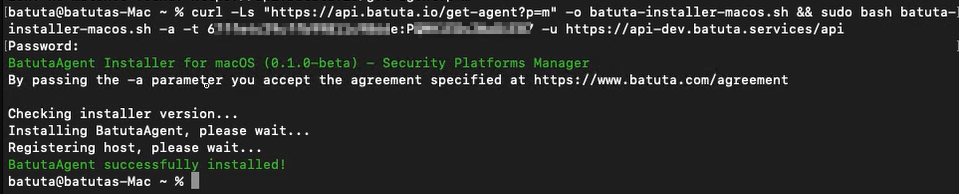
Example of the installation command on MacOS:
curl -Ls https://api.batuta.io/get-agent?p=m -o batuta-installer-macos.sh && sudo bash batuta-installer-macos.sh -a -t XXXXXXXXXXXXXX:0000000000 -u https://api.batuta.io/api
Then open your terminal and paste the installation command as shown in the image below. Then press the “Enter” key to begin.

You will see an image like the one below indicating that the process was completed successfully.